A redesign focused on control, not just content
This project redesigns the "More Like This" interaction to improve user control and content discovery — turning a one-click gamble into a confident, informed decision.
One click, no way back
In the current experience, selecting a film in the "More Like This" section immediately triggers playback — before a user has any chance to evaluate whether it's actually what they want to watch.
"Content discovery is a decision-making process, not a one-click action."
Users need context — tone, genre, narrative, and cast — before choosing what to watch.
Exploration, installed before playback
Instead of initiating playback immediately, selecting a title now reveals a preview interface that allows users to review information before choosing to watch. The clips below are real Netflix recordings, not mockups.
Current Behavior
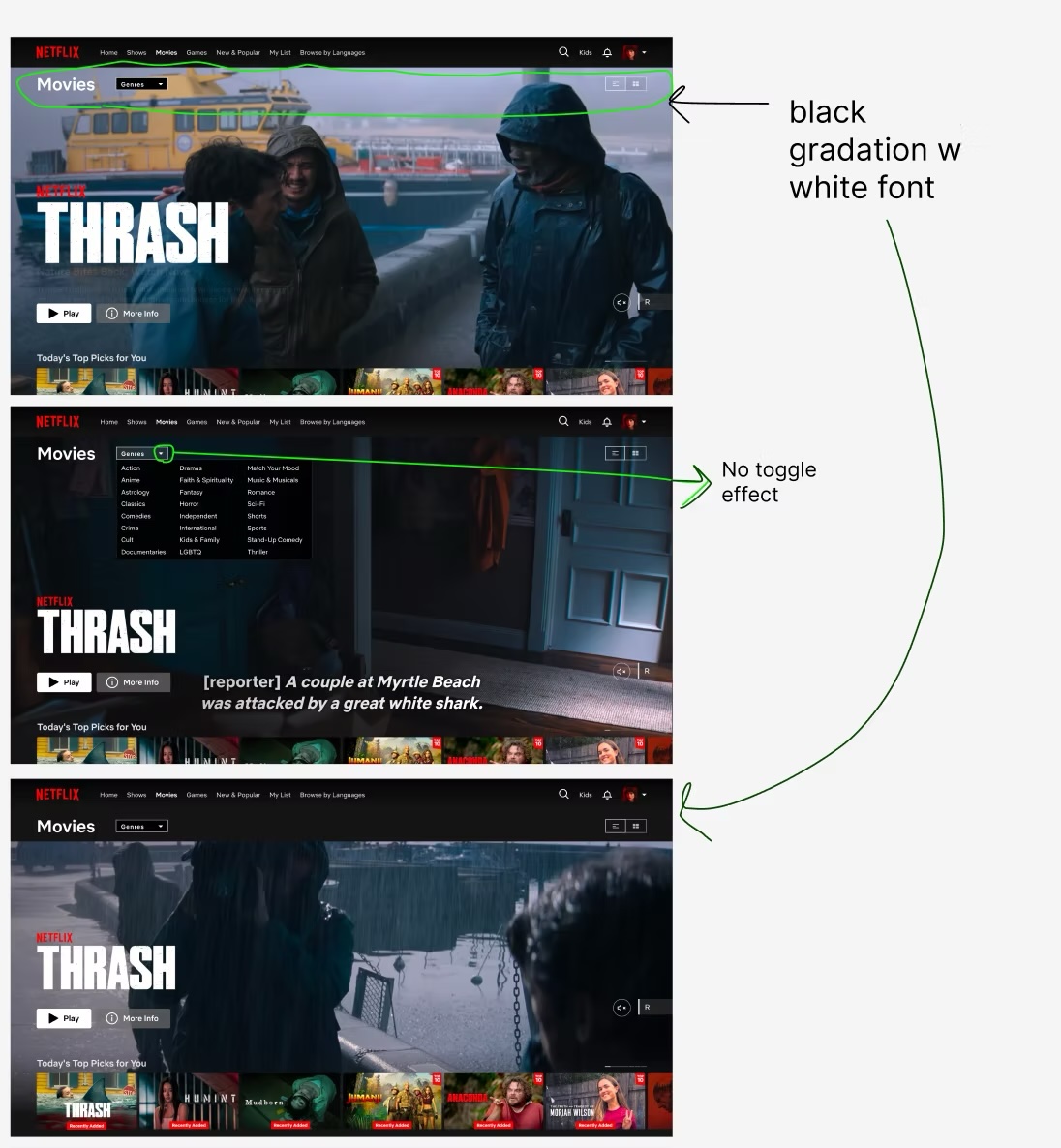
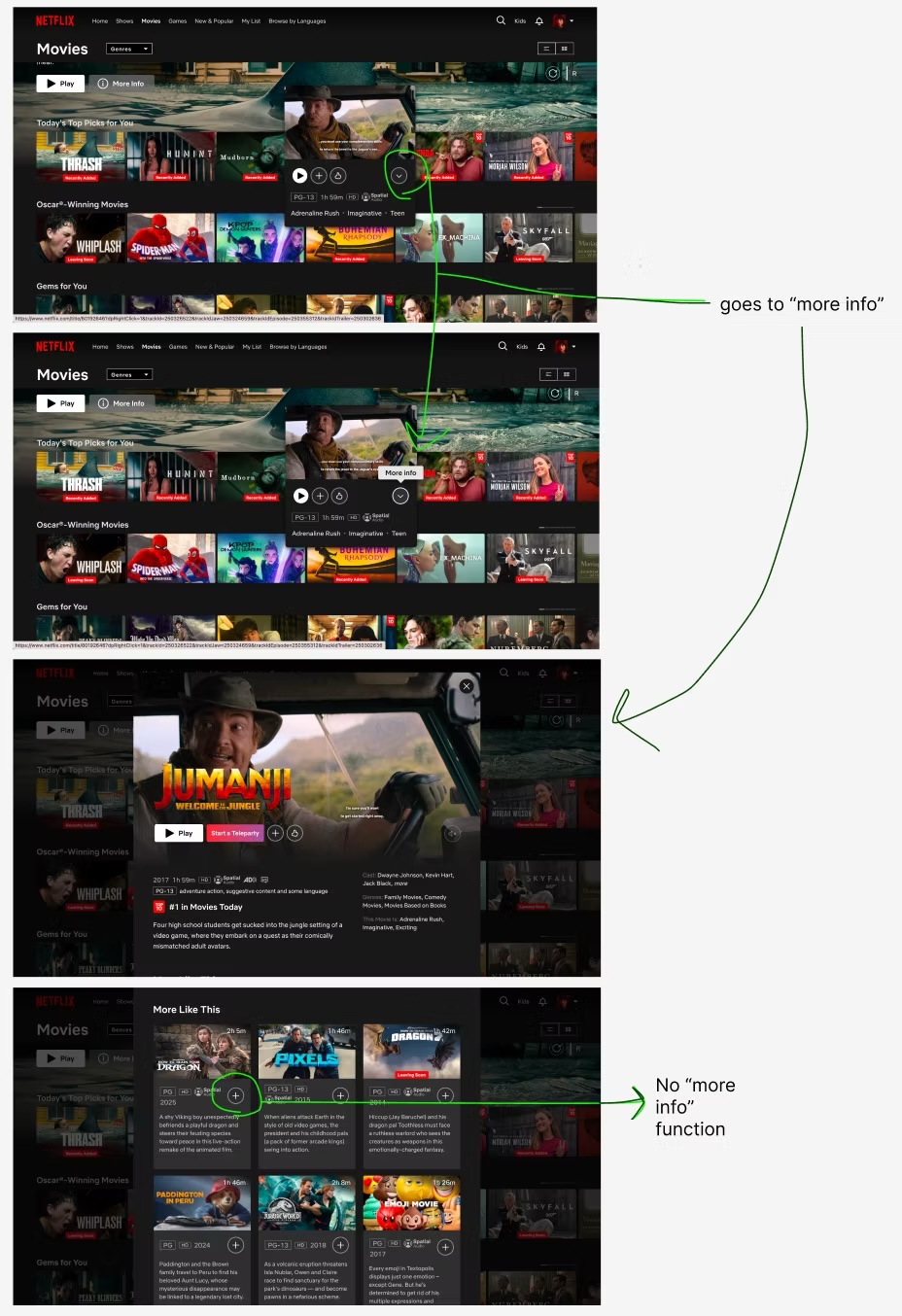
- ✕ No toggle feature
- ✕ No "more info" function
- ✕ Immediate playback
Redesigned Interaction
- ✓ Toggle feature
- ✓ "More info" function
- ✓ Pre-playback preview
See the difference yourself
Flip the switch, then click a title below. This is a working recreation of both interaction models — not a screenshot.
Low-fidelity, then flows
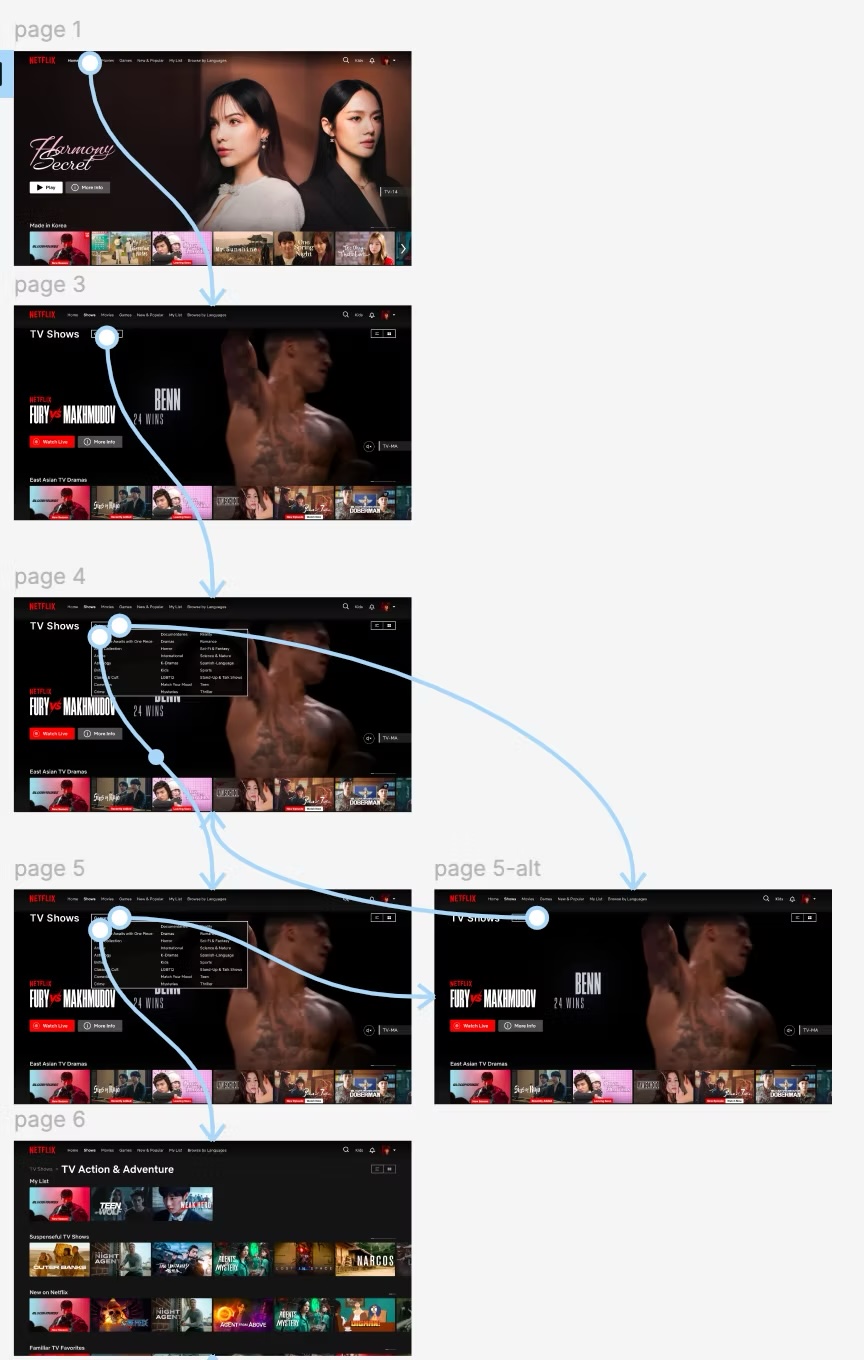
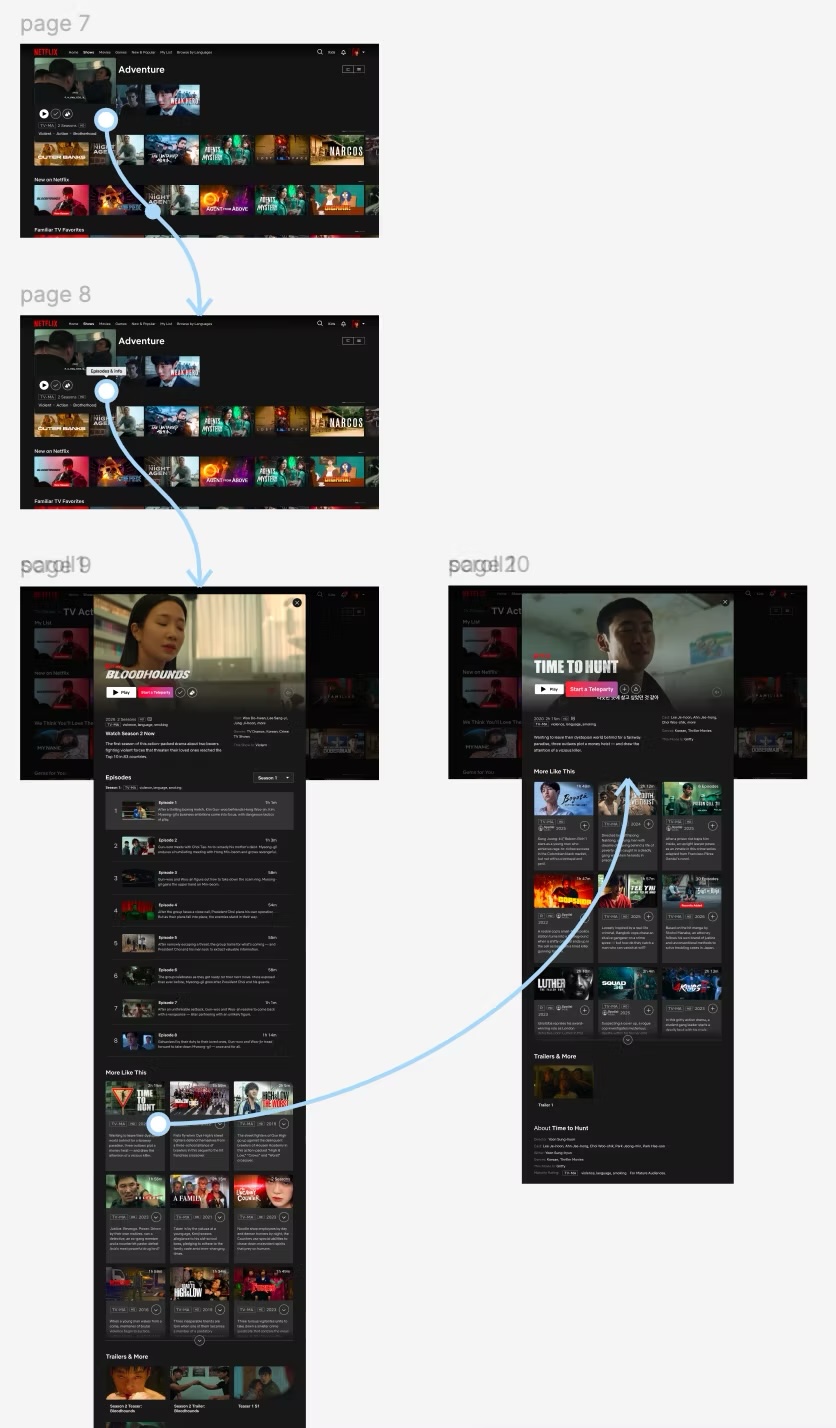
Before any visual polish, the current experience was annotated to pin down exactly what was missing — then two flows were mapped end to end.
Low-Fidelity Design Sketch
Three principles that shaped the redesign
Preview Instead of Auto-play
Prevents accidental playback and supports intentional exploration.
Clear Information Hierarchy
Shows only essential details to avoid overwhelming users.
User-Controlled Playback
Shifts from automatic behavior to intentional action.
Context matters even more across borders
Content discovery is key for global content — like K-dramas — where users often rely on contextual information before deciding to watch unfamiliar titles.
This project reinforced the importance of designing for user intent, ensuring exploration and action remain distinct within the experience.

Crash Landing on You
A paragliding accident strands a South Korean heiress in North Korea, where she falls for an army officer determined to help her return home safely.